MeshConsole
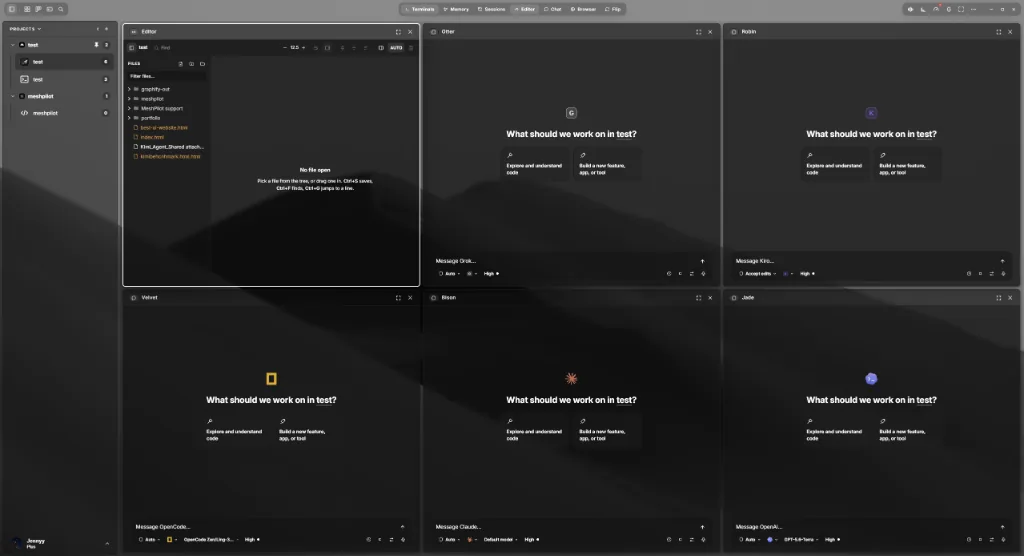
A desktop workspace for AI coding agents. Run nearly thirty of them — in persistent terminals or as chat panes over their own headless protocols — against your own project folders, with a shared task board, project memory and an editor in the same window.
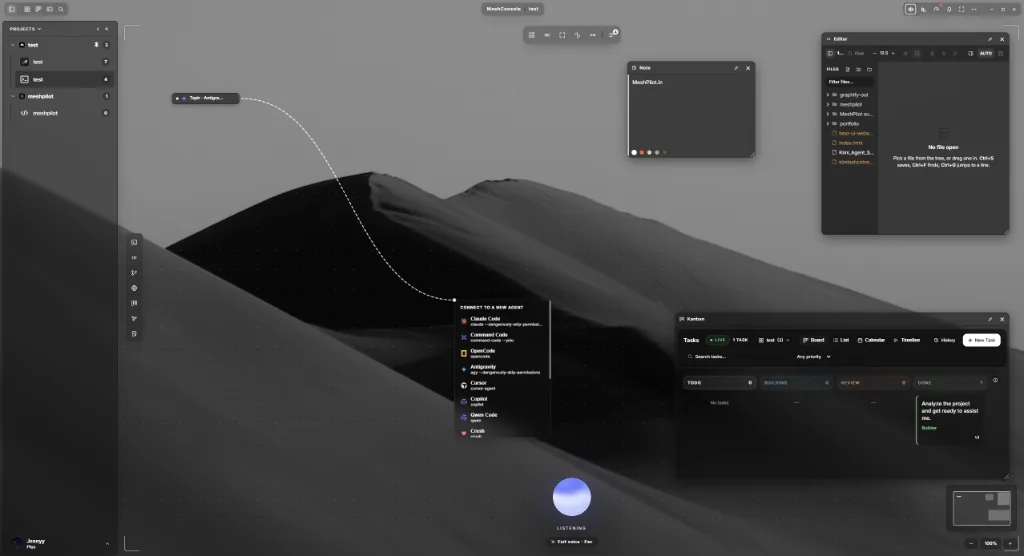
The Studio — wire agents to each other
An infinite board holding terminals, editors, git, a browser, the Kanban board, MeshMemory and notes. Draw a link between two agents and their handoffs are delivered over a durable per-project bus — directional, typed, and honest about whether the message landed.
- Pause a link, nudge the target, undo a deletion
- Collapse a window to a pill — its session keeps running
- Pilot in the command bar, by text or by voice
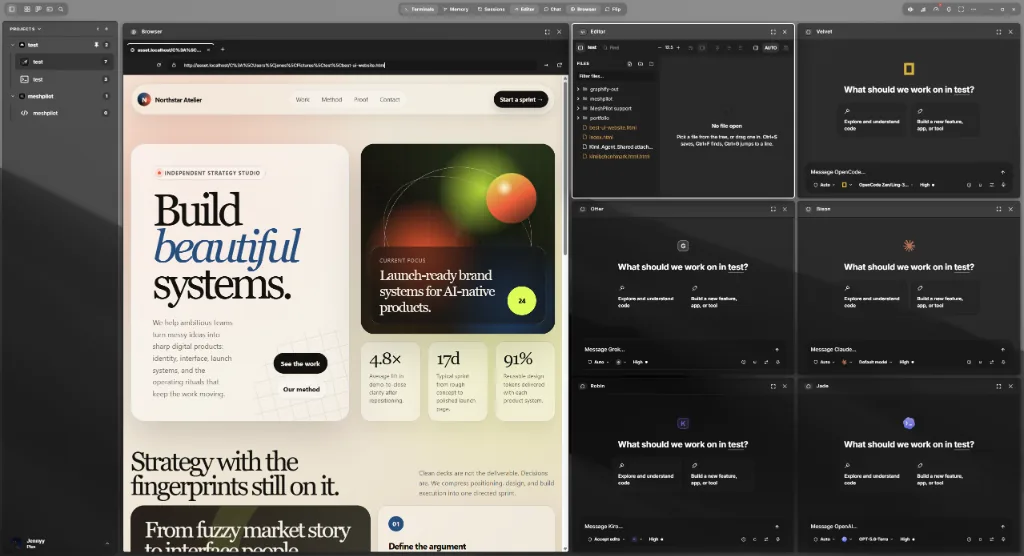
The editor and the running app, in the same layout
Put your dev server in a browser pane next to the agents building it. Read the change in a real editor — CodeMirror with language servers behind it — then send the file straight back to the terminal that is working on it.
- Completion, diagnostics and go-to-definition
- Stage, diff and commit with an AI-written message
- Or open a full VS Code inside the app, wired to your agents
Memory that belongs to the project
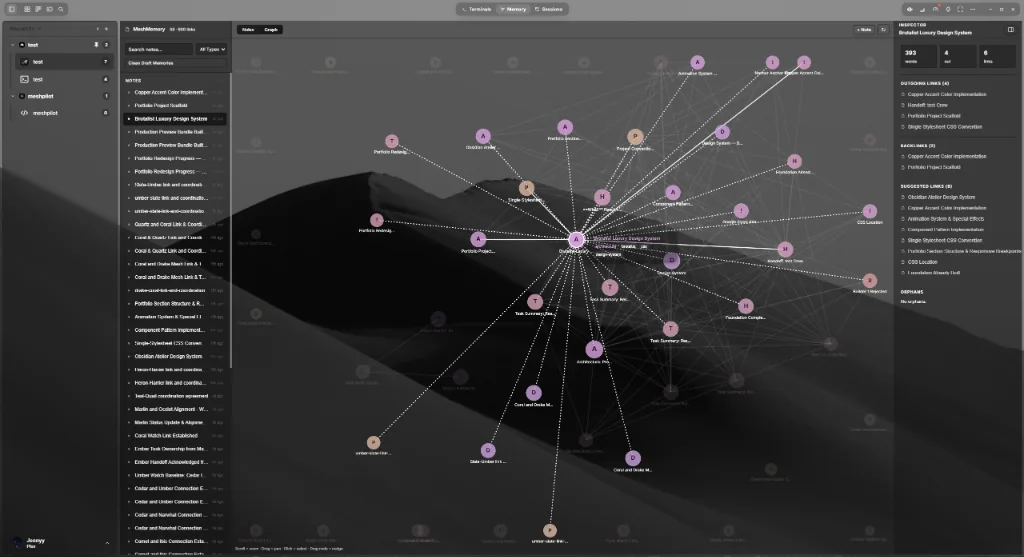
Decisions, gotchas and task history are linked notes stored in the repository they describe — not in one agent’s chat history. Agents read them over the shared bus, so switching agents does not restart the explaining.
- Graph view, backlinks and suggested links
- Orphan detection for notes nothing points at
- Files on your disk — nothing indexed on our servers
Give it a mission, not a prompt
A Crew workspace runs a phased pipeline: a scout reads the codebase, builders work in parallel on files that do not collide, and a reviewer gates the result before anything is called done. The coordinator that sequences them is code rather than a model — so orchestration burns no tokens and behaves the same way twice.
Progress lands on the same task board you use by hand, with a live flow map, a run timeline, and a comms dock showing what the agents are saying to each other.
Bring the agent you already use
MeshConsole knows each agent’s launch command, detects whether it is installed, and writes its MCP config for you. You keep your own vendor accounts and rate limits.
Claude Code · Codex · Cursor · Copilot · Gemini CLI · OpenCode · Antigravity · Qwen Code · Command Code · Goose · Crush · Amp · Aider · Cline · Continue · Kilo Code · Kiro · Droid · Kimi Code · Grok · Mistral Vibe · Auggie · MiMo Code · OMP · Pi · Ante · Hermes · Autohand Code · OpenClaude · Codebuff