Run your coding agents side by side

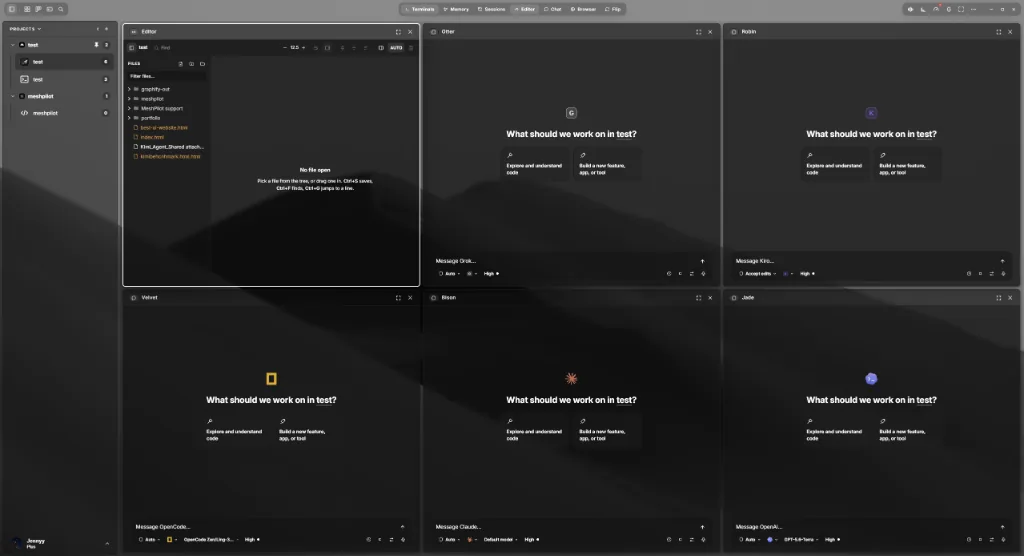
MeshConsole is a desktop workspace for AI coding agents. Nearly thirty of them, in persistent terminals and chat panes over your own folders, with a shared task board and project memory underneath.
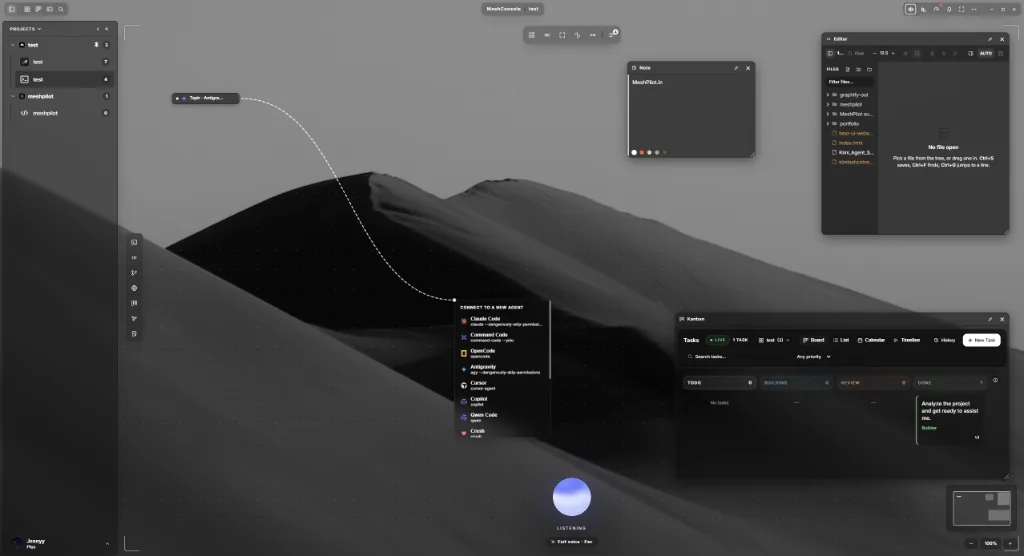

MeshConsole Studio — an infinite board with agents, an editor, notes and the task board
MeshPilot
MeshPilot
MeshPilot
MeshPilot
MeshPilot
MeshPilot
MeshPilot
MeshPilot

MeshPilot is our agentic development platform, allowing anyone to build in the agent-first era.

Infinite board · agents wired together

The Studio

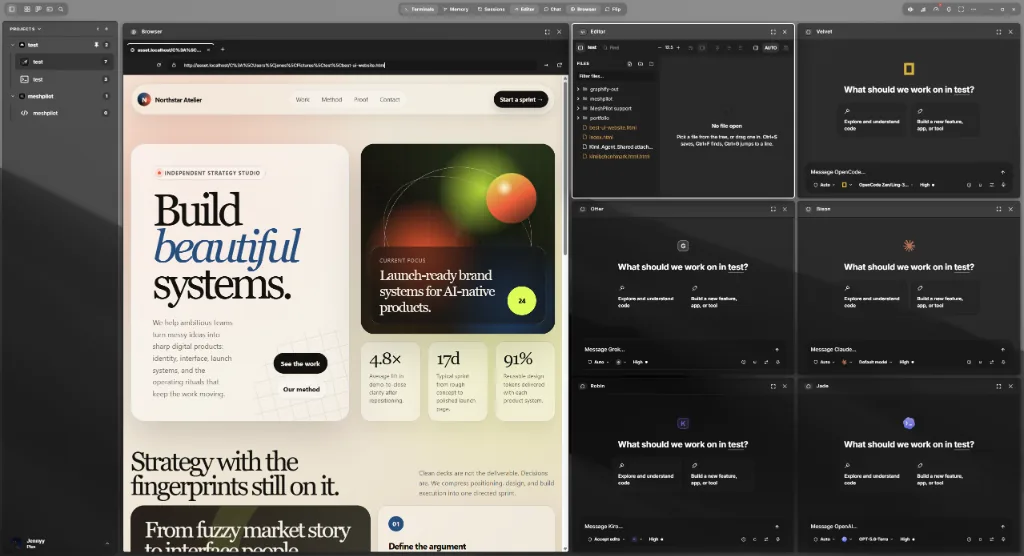
An infinite canvas holding terminals, editors, git, a browser, the Kanban board, MeshMemory and notes. Draw a link between two agents and one agent’s output is delivered to the next over a durable project bus.
Directional, typed links between agents
Editor, git, browser, Kanban and memory as board windows
Collapse a window to a pill — its session keeps running
Pilot in the command bar, with voice
The Studio
Expand High-Res Screenshot
The Bench
Expand High-Res Screenshot
Preview loop
Expand High-Res Screenshot
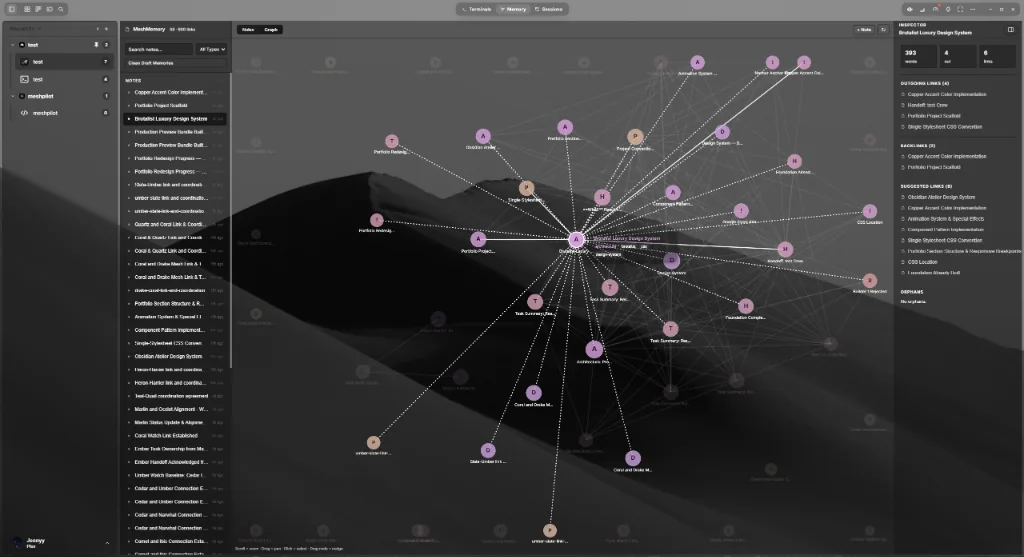
MeshMemory
Expand High-Res Screenshot
Windows & Linux
The workspace

MeshConsole
Bench, Studio & Crew

Nearly thirty coding agents in persistent terminals and chat panes, over your own project folders.

Free & open source
The tray widget

MeshUtility
Voice & prompt rewriting

Dictate into any text field, or select text anywhere and have it rewritten by the model you choose.

MeshConsole / Desktop app

Find your build.

Choose your system. Your download starts from the latest published release.

See what's new
01 / WINDOWS

Windows

x64 · .exe installer

Windows 10 or 11

02 / MACOS

macOS

Apple Silicon · .app.tar.gz archive

M-series Mac

03 / LINUX

Linux

x64 · .AppImage

64-bit Linux

After the download

  1. 01 / INSTALL

    Open the installer or archive for your system.

  2. 02 / SIGN IN

    Connect your MeshPilot account in the app.

  3. 03 / BUILD

    Choose a project folder and add your first agent.

Good to know

  • Windows: run the downloaded installer.
  • Mac: extract the archive and move MeshConsole.app to Applications.
  • Linux: mark the AppImage as executable, then open it.

Downloading is free; using MeshConsole requires a subscription or lifetime license. View plans

Need help? Read the setup guide or contact support.