01 / WINDOWS
Windows
x64 · .exe installer
Windows 10 or 11
Desktop workspace / MeshConsole
MeshConsole brings your coding agents, editor, browser, terminals, tasks and project memory into one desktop app. Work over your own folders and keep every change in view.
Windows x64 · macOS Apple Silicon · Linux x64
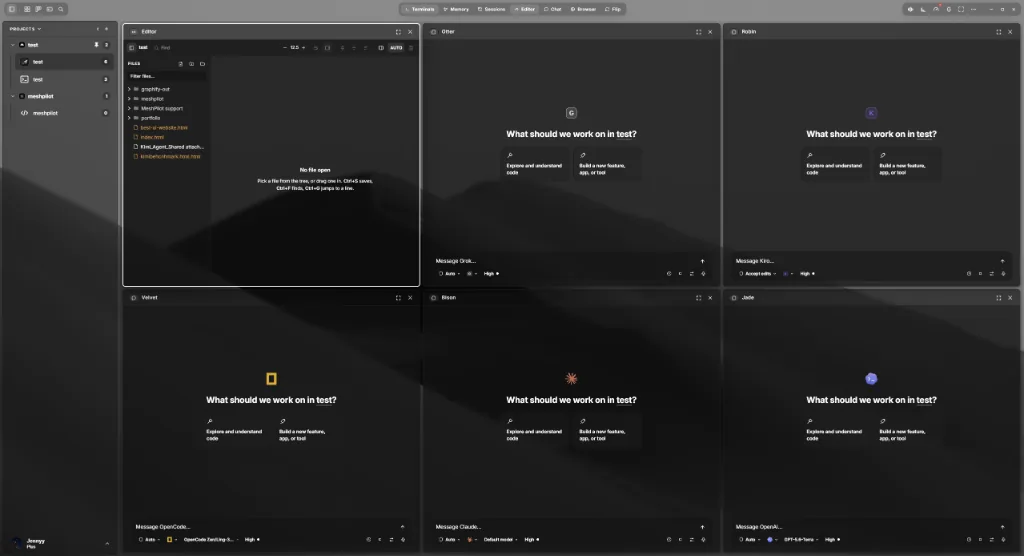
MeshConsole / Desktop app
Choose your system. Your download starts from the latest published release.
x64 · .exe installer
Windows 10 or 11
Apple Silicon · .app.tar.gz archive
M-series Mac
x64 · .AppImage
64-bit Linux
Open the installer or archive for your system.
Connect your MeshPilot account in the app.
Choose a project folder and add your first agent.
Downloading is free; using MeshConsole requires a subscription or lifetime license. View plans
Need help? Read the setup guide or contact support.
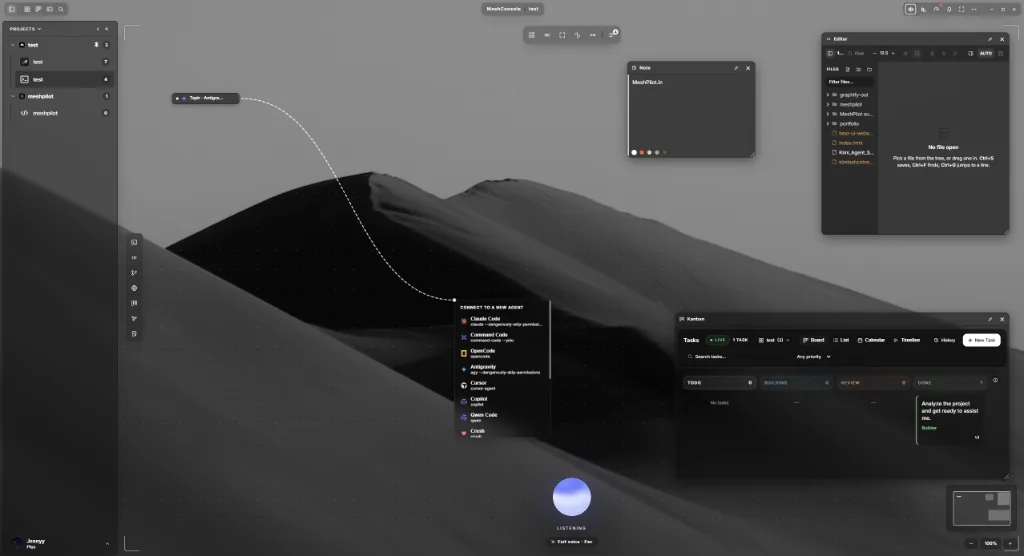
An infinite board holding terminals, editors, git, a browser, the Kanban board, MeshMemory and notes. Draw a link between two agents and their handoffs are delivered over a durable per-project bus — directional, typed, and honest about whether the message landed.
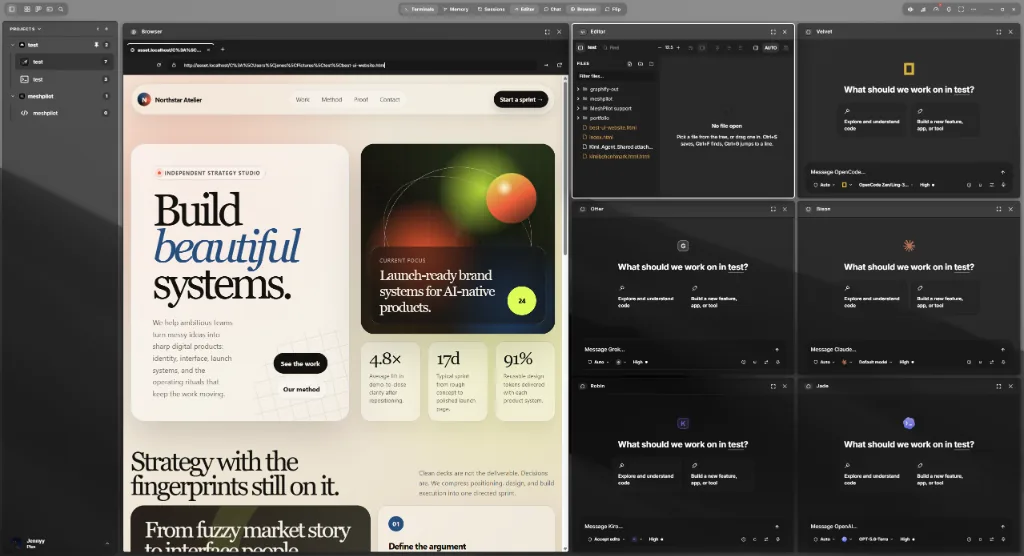
Put your dev server in a browser pane next to the agents building it. Read the change in a real editor — CodeMirror with language servers behind it — then send the file straight back to the terminal that is working on it.
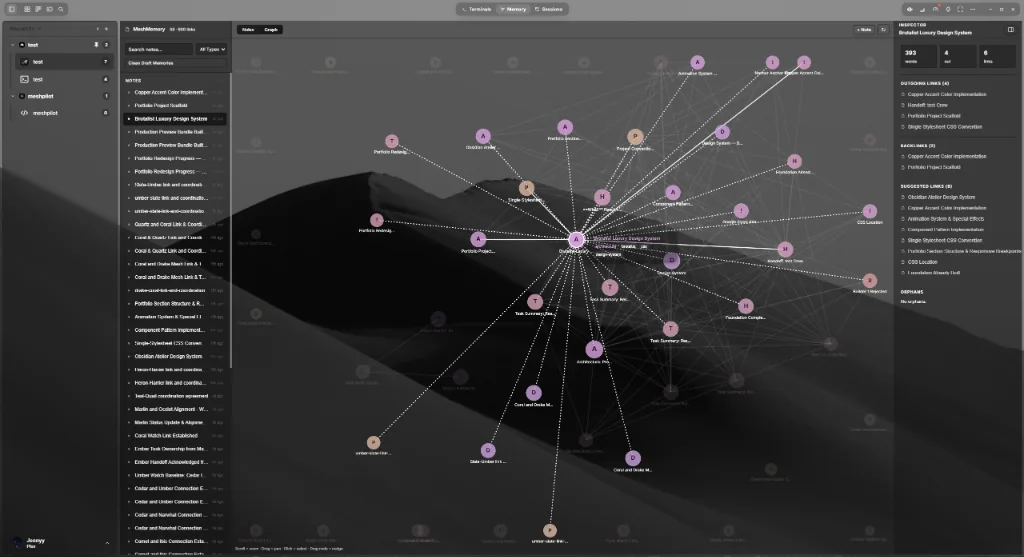
Decisions, gotchas and task history are linked notes stored in the repository they describe — not in one agent’s chat history. Agents read them over the shared bus, so switching agents does not restart the explaining.
A Crew workspace runs a phased pipeline: a scout reads the codebase, builders work in parallel on files that do not collide, and a reviewer gates the result before anything is called done. The coordinator that sequences them is code rather than a model — so orchestration burns no tokens and behaves the same way twice.
Progress lands on the same task board you use by hand, with a live flow map, a run timeline, and a comms dock showing what the agents are saying to each other.
MeshConsole knows each agent’s launch command, detects whether it is installed, and writes its MCP config for you. You keep your own vendor accounts and rate limits.
Claude Code · Codex · Cursor · Copilot · Gemini CLI · OpenCode · Antigravity · Qwen Code · Command Code · Goose · Crush · Amp · Aider · Cline · Continue · Kilo Code · Kiro · Droid · Kimi Code · Grok · Mistral Vibe · Auggie · MiMo Code · OMP · Pi · Ante · Hermes · Autohand Code · OpenClaude · Codebuff